
Cloud Services for Small Business: Where the IT Savings Actually Come From
Every few years, the same decision lands on your desk. Replace the server. Renew the licenses. Buy another backup drive that lives in a closet. You write the check, then five years later write it again.
Cloud services for small business change the equation. Rather than buying equipment your business houses and maintains, you rent computing power from a provider and pay monthly.
Whether that actually saves you money, however, comes down to four decisions: which systems move to the cloud, which ones stay on-site, how much capacity you pay for, and who secures it once it’s up in the cloud.
So to make sure you know how to get the best bang for your buck, we put this blog together. In it, you’ll learn:
Which IT costs disappear in the cloud and which new ones show up on your monthly bill to replace them
Why cloud security costs less than handling it yourself and where your responsibility starts once your data is up there
How to tell if the cloud is worth it for you, including how to size what you rent and which systems are better off staying on-site
Why Traditional IT Infrastructure Is Costly for Small Businesses
When your business buys its own IT equipment, the purchase price is only part of what you spend. A traditional setup costs a small business in four additional areas:
Hardware: the server, a backup appliance, a battery backup, network switches, and a firewall.
Software licenses: the server operating system, user access licenses, backup software, and antivirus.
Power and space: electricity to run the equipment, cooling to keep it from overheating, and the room it sits in.
Maintenance hours: patching, updates, monitoring, and support when something breaks outside business hours.
Paying for Capacity You Don’t Use
Physical hardware has to be sized for your busiest week of the year. The rest of the year, you’re powering equipment that sits mostly idle. Data storage works the same way. You buy enough for where you expect to be in five years, and you start paying for all of it right away.
Resource allocation is difficult once the equipment is in the building. Adding capacity to existing infrastructure means buying more hardware, and if you bought too much up front, that money is already spent.
When Manufacturer Support Ends
Most business hardware has an average useful lifespan of about five or six years. As it ages and manufacturer support ends, reliability and security risks increase, and replacement becomes more urgent.
All of these costs come back to one thing: your business owns the physical infrastructure. Cloud computing changes that.
What Is Cloud Computing and How Does It Work?
Cloud computing is the delivery of computing services, including servers, data storage, software, and networking capabilities, over the internet. A provider owns and operates the equipment in its own data centers, and your business pays a monthly fee to use it.
In practice, that means your applications and files live on remote servers run by third-party providers. Your team reaches them over an internet connection from wherever they are.
The provider maintains the underlying physical infrastructure. Your responsibilities depend on the service: with SaaS, the provider handles most of the technology, while with IaaS, your business still manages areas such as the operating system, applications, access, and data. You pay for the cloud resources your business needs.
Major cloud platforms include Microsoft Azure, Amazon Web Services, and Google Cloud. Most small businesses never work with those directly. They use cloud-based software built on top of them, like Microsoft 365 or QuickBooks Online.
Public, Private, and Hybrid Clouds
Cloud infrastructure comes in three arrangements:
Public cloud: your business shares the provider’s hardware with other customers, with each customer kept separate. This is the most cost-effective option, and it scales easily, which makes it a good fit for most small business workloads.
Private cloud: the environment is dedicated to your business alone. It costs more and gives you greater isolation and control, which can benefit businesses with sensitive data or industry compliance requirements.
Hybrid clouds: you use public and private clouds together, keeping systems that need greater isolation or control in a private environment and everyday work in the public one.
The Three Types of Cloud-Based Services
Cloud services are sold in three layers:
Infrastructure as a Service (IaaS): computing power and cloud storage you configure yourself. This is what replaces a physical server.
Platform as a Service (PaaS): a ready-made environment for building and running your own applications, with no infrastructure for you to manage.
Software as a Service (SaaS): finished software solutions you use through a browser with internet access. Your customer relationship management system, project management software, enterprise resource planning tools, and inventory management usually fall here.
Most small businesses start with SaaS, because it replaces software they already license and run in-house.
Each of these layers takes a different cost off your books, starting with the hardware.
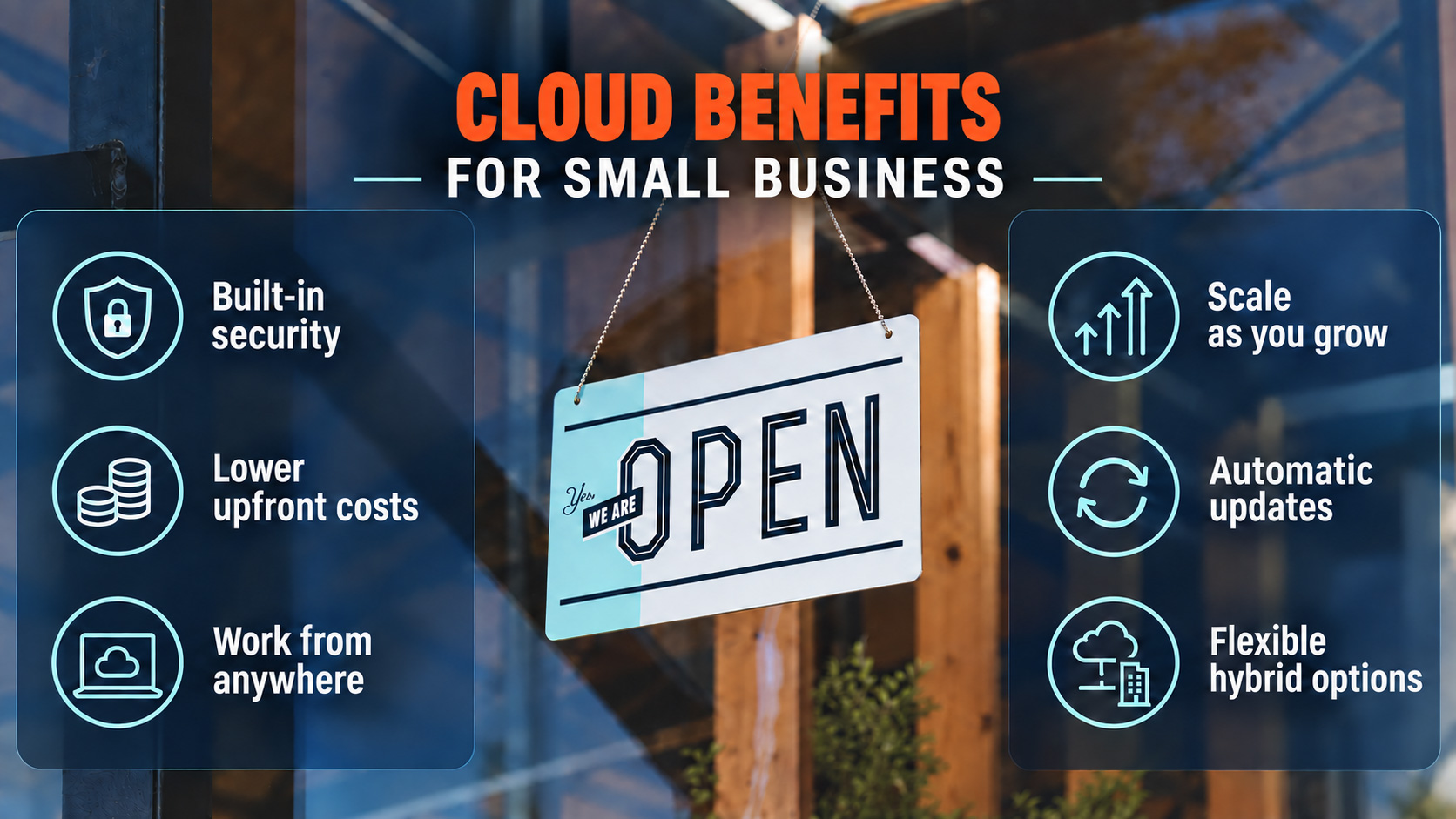
How Cloud Computing Reduces IT Costs for Small Businesses
The cost savings from cloud adoption show up in five places on your IT budget.
The Hardware Cost Goes Away
You stop buying servers, backup appliances, and the equipment that supports them. The provider owns that hardware and replaces it on its own schedule, at its own expense.
Your capital purchase becomes a monthly subscription. For most small and medium-sized businesses, that predictability is worth as much as the savings, because you know what next quarter costs before it arrives.
You Pay Only for What You Use
Cloud solutions scale with user demand. Add five employees and you add five licenses. End a seasonal contract and your bill drops the following month.
Physical infrastructure generally takes longer and costs more to expand or reduce. Cloud resources adjust both ways, allowing businesses with uneven workloads to pay for capacity when they need it and stop paying when they don’t.
Fewer Hours Spent on Maintenance
The provider handles the physical hardware and its maintenance. With SaaS, the provider also handles most software updates. With IaaS, your business may still be responsible for patching operating systems and applications.
This is often the cost that surprises medium-sized businesses the most, because maintenance is billed by the hour and rarely shows up in the original budget.
Improved Resilience and Backup Options
Cloud providers typically build redundancy into their infrastructure, so a single hardware failure does not necessarily interrupt access to your data. However, redundancy and file synchronization are not substitutes for a separate backup.
Building that same protection in-house means a second set of equipment in a second location and asking someone to test it regularly. This is how small businesses get enterprise-grade resilience without an enterprise budget.
One caution worth knowing: cloud file storage on its own is not a backup plan. Deletions, ransomware, or synchronization errors may affect cloud copies too. You still need a backup product with version history, retention settings, and tested recovery.
Your Team Can Access Files From Anywhere
Employees access data from the office or from home using the same login. File sharing happens through a link instead of an email attachment, and cloud platforms enable real-time collaboration, so two people can work in the same document at once.
Microsoft 365 and Google Workspace both integrate with many common business applications. That simplifies operations, removes the version control problems that slow business processes down, and keeps file storage in one place instead of scattered across laptops.
What Are the Security Cost Advantages of Cloud Computing for Small Businesses?
Major cloud providers build basic data security into the platform, and the cost of those protections is included in your subscription. Some advanced security, monitoring, and backup features may cost extra. Building and staffing the same protections in-house would cost most small businesses far more.
What Comes Included With Major Cloud Providers
Reputable providers build robust security measures into the cloud environment:
Data encryption: your files are scrambled while stored and while moving across the internet, so intercepted data cannot be read without the decryption key.
Multi-factor authentication: a second verification step at login that provides strong protection against a stolen password.
Centralized access controls: you decide who can open which files from a single dashboard, and you remove access the day someone leaves.
Security monitoring: the provider watches for unusual logins and suspicious activity around the clock.
Regular updates and patches: known vulnerabilities get fixed on the provider’s schedule rather than whenever someone has time.
Hiring and staffing that work in-house is out of reach for most small businesses. A monthly subscription gives you enhanced security and the same data protection large companies rely on.
Where Your Responsibility Starts
Cloud providers secure the infrastructure. Your business secures the accounts and the settings. This is where most cloud security problems begin.
Cloud providers design their data centers for maximum availability, so failures are uncommon. More often, the problem is a file share left open to everyone or an account that kept its access after an employee left.
If you store sensitive data under industry rules, such as patient data under HIPAA or client financial records, choose a provider that supports those requirements. Even then, the way your cloud environment is configured may matter more than the provider you pick. Secure file storage depends on the settings behind it, and critical data needs those settings checked regularly.
Is Cloud Computing Worth the Investment for Small Businesses?
For most small businesses, yes. Cloud services are not automatically cheaper than what you run today, though. Flexera’s 2026 State of the Cloud Report found that wasted cloud spending reached 29% and rose for the first time in five years. Although the survey was not limited to small businesses, the same causes of waste can affect them too.
Where Cloud Spending Gets Wasted
Cloud costs climb for four reasons, and all four are avoidable:
Licenses nobody uses: subscriptions still billing for employees who left, or for software a department stopped opening a year ago.
Capacity sized too large: storage and computing power set higher than the business needs, then billed at that level every month.
Duplicate tools: two departments paying for two products that do the same job.
Moving a poor setup as is: copying an inefficient server configuration into the cloud carries the inefficiency with it, and now you rent it monthly.
A quarterly review of your subscriptions and capacity catches all four.
When Cloud Services Are Clearly Worth It
Cloud adoption pays off fastest when:
Your server is within two years of replacement.
Your team works from more than one location.
Your headcount rises and falls through the year.
You have no full time IT staff.
In these situations, the cost-effectiveness is straightforward. You avoid a capital purchase, get capacity that follows your business growth, and often receive support as part of the service. That is where cloud services for small business turn into a competitive edge, because your money goes toward the work instead of the equipment.
When Keeping Equipment On-Site Still Makes Sense
Some systems are cheaper to leave where they are:
Applications that only run on hardware in your building, which is common in manufacturing and medical imaging.
Very large files your team opens constantly, where internet speed becomes the limiting factor.
Equipment with steady usage and several years of life left in it.
For some businesses, a hybrid setup offers the best balance. You move what benefits from the cloud and leave the rest on-site.
How to Plan Your Cloud Migration
Cloud adoption follows four steps, and the order is important.
Step 1: Assess Your Existing Infrastructure
List every system your business runs and what each one costs you today, including hardware, software licenses, and the hours spent maintaining it. Note which systems hold sensitive data and which carry compliance requirements.
Your migration strategy starts with that inventory. It tells you what should move and what your current setup really costs.
Step 2: Choose Cloud Providers That Match Your Goals
Pick the provider that fits your business rather than the largest name available. Four questions are worth asking before you sign:
Does it meet the compliance rules your industry requires?
Does it work with the software your team already uses?
What does support cost, and who answers when something breaks?
How is your data returned to you if you decide to leave?
Step 3: Train Your Team
Cloud-based services save money only when people use them correctly. Even an hour of training can help prevent security problems.
Enabling team members to work confidently in the new tools also stops the workarounds that typically undo the savings, like saving files to a desktop instead of the shared cloud storage.
Step 4: Get Professional Assistance
Businesses that move to the cloud smoothly tend to have help doing it. Often, they bring in a managed service provider (MSP), usually for three reasons:
The assessment gets done properly. An MSP can tell you what you’re spending today without guesswork and assess what kind of move will benefit you most.
The configuration gets done right the first time. Access controls, permissions, and multi-factor authentication are set correctly before anyone starts working in the new environment.
Someone keeps an eye on the bill. Cloud spending needs a quarterly review, and that’s a task that usually gets dropped once a migration is finished.
That’s the work our IT services team handles at Reliable Technology Services. We’ve walked plenty of small businesses through this decision before.
Want a straight answer on whether it’s time for your business to migrate? Email Lenny Giller at lenny@reliabletechnology.co and we’ll look at what you’re running now and what moving it to the cloud would actually cost you.